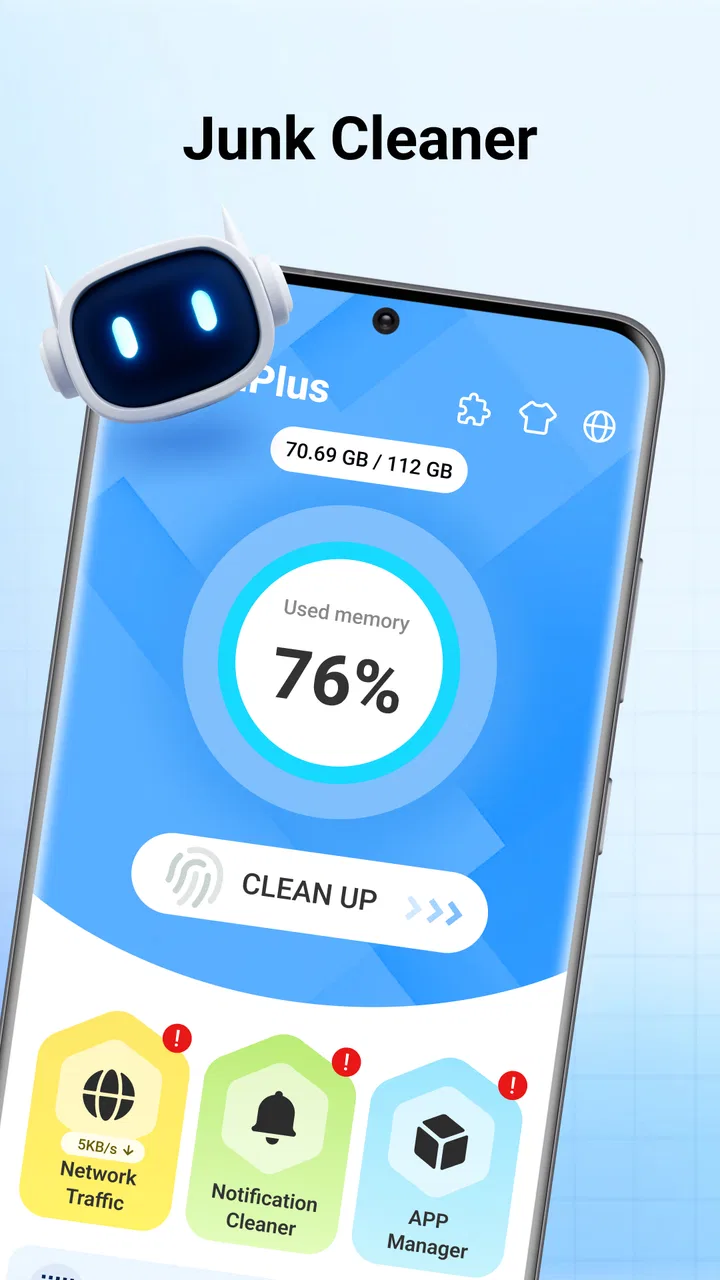
CleanPlus - Memory Saver
- 3.9
- Rating
- 1.00M
- Installs
- Free
- Price

 Analysis by App-foxy
I came away from CleanPlus - Memory Saver with a fairly clear impression: it is a straightforward Android tool for people who want a simpler way to deal with cluttered storage and keep an eye on the condition of their phone. It does not try to be a full file-management suite or a complicated maintenance dashboard. Its appeal is the directness of the job it sets out to do: clean up unwanted material and make everyday file handling less tiring.
That focus matters because many phones become difficult to manage long before they are technically full. Screenshots pile up, downloaded files are forgotten, duplicate-looking items become hard to identify, and large media folders take time to inspect manually. A dedicated cleaner can be useful in those moments, provided it helps me make the decision rather than making it for me. My view of CleanPlus - Memory Saver is positive for that reason, although I would still use it carefully and would not treat any cleaner as a substitute for understanding what is stored on my device.
How CleanPlus fits into everyday phone maintenance
CleanPlus is a free Android app in the Tools category, developed by Ayadev2023. It is aimed at general phone users rather than a narrow professional audience, and its Everyone content rating makes that positioning clear. The app runs on Android 7.0 or later, so it is relevant not only to newer devices but also to older phones that may have less generous storage and memory.
You May Also Like

 Blood Strike: 2.5 Anniversary
Blood Strike’s Loadouts Turn Every Drop Into a Tactical Gamble
A close look at Blood Strike’s custom loadouts: how fast access to signature weapons reshapes its battle royale rhythm, rewards preparation, and narrows the gap between fights.

 Pandora - Music & Podcasts
Pandora’s Music Is Easy to Start, but Harder to Recover
Pandora’s strength is its low-effort path from a seed to a station. Its weak spot is how much confidence it asks you to place in connection, setup, and quiet recovery.

 8 Ball Pool
 Is Built on Rivalries, Rematches, and Routine
A close look at the rivalries, rematches, shared routines, and unanswered safety questions that turn a quick pool match into a persistent mobile community.

 Samsung Music
’s Quiet Strength Is Playing What You Already Own
Its reach comes less from spectacle than from dependable access to a personal library. That simplicity is both the app’s strongest retention engine and its ceiling.

 AccuWeather: Weather Radar
AccuWeather Review: A Quick, Clear Forecast for Everyday Decisions
For everyday plans, the best forecast is the one you can understand quickly. AccuWeather makes rain timing, radar, and local conditions easy to act on, with a few trade-offs.

 Hill Climb Racing
Why Hill Climb Racing Still Turns Crashes Into One More Run
A tiny car, a bumpy hill and one more upgrade: Hill Climb Racing keeps resurfacing because its simple chaos makes every near-miss feel personal.
More From Our News Desk



The current release is V1.0.9, and the app has already passed the one-million-install mark. Its average rating is 4.0 from roughly 2.3 thousand ratings, with 69 written reviews. I read those figures as a sign of practical interest rather than proof that every phone will benefit equally. Cleaner apps can feel excellent on one device and unnecessary on another, depending on how well the built-in storage tools already work and how disciplined the owner is about deleting files.
In my use, the most convincing role for this app is as a regular inspection point. Instead of waiting until a phone warns that storage is almost full, I would open it after a busy period of taking photos, downloading documents, or receiving media through messaging apps. That turns cleanup into a short routine rather than an emergency performed while trying to install an update or record an important video.
The phrase “memory saver” can also create confusion. Freeing storage and freeing working memory are not exactly the same task. Removing unnecessary files can make room for apps, photos, and system updates, but it does not magically transform an older phone into a faster model. I would judge CleanPlus mainly by how well it helps organize and remove unwanted content, not by expecting dramatic performance changes from a single cleaning session.
The strongest part is reducing the search work
The real value of a cleanup tool is not the deletion button. Android already gives me ways to remove files. The useful part is reducing the time spent searching through folders and deciding what deserves attention. CleanPlus is most appealing when I have a vague feeling that the phone is crowded but no desire to investigate every directory with a file browser.
A practical example is a phone used for work and personal life at the same time. During a normal week, I might save a document from an email, download a temporary image for a message, capture several screenshots to explain a problem, and receive videos in a group chat. None of those actions feels significant on its own. Together, they create a messy storage trail. A focused cleaner gives me a reason to review that material in one sitting instead of relying on memory.
I especially like the idea of separating a quick cleanup from a deeper organizing session. For the first pass, I would concentrate on items that are clearly disposable, such as temporary downloads or screenshots that no longer serve a purpose. For the second pass, I would inspect anything that might be valuable before removing it. This two-stage approach is safer than selecting everything shown by a scan and assuming that “junk” always means useless.
Another non-obvious benefit is that a cleaner can expose habits rather than simply remove files. If most of the clutter comes from repeated screenshots, downloaded videos, or image-heavy conversations, the answer may be changing how I use the phone rather than cleaning more often. I can then adjust notification media settings, review downloads immediately, or move important photos elsewhere. CleanPlus is more useful when I treat its results as feedback about my storage habits.
A sensible workflow prevents accidental regret
I would begin by checking the categories presented by the app and looking at the names, locations, or previews available before confirming any removal. If a group contains personal photos, tax documents, travel tickets, or work attachments, I would leave it alone until I had opened the files in another app. A clean interface can make deletion feel safer than it really is, so my own review step remains essential.
For people who share a phone with family members or use one device for school and work, this caution is even more important. A file may look old but still be needed later. I would also avoid performing a broad cleanup immediately before a trip, a presentation, or a deadline. The best time is when I have enough attention to verify what is being removed, not when I am rushing to recover space.
One useful routine is to clean in small categories rather than trying to empty the phone in one session. I might first review screenshots, then downloads, and later large media. This makes it easier to notice mistakes and gives me a clear stopping point. It also prevents the common problem of deleting too aggressively simply because the list has become overwhelming.
CleanPlus can therefore serve as a companion to Android’s own storage settings. I would use the system settings to understand which apps and broad storage areas consume space, then use the cleaner for a more focused review of disposable material. Neither tool needs to replace the other. The system view is better for identifying major storage consumers, while a dedicated utility can feel more approachable for routine tidying.
Where the experience needs restraint
My main reservation is shared by almost every app in this category: the word “junk” is not a perfect description of a file’s value. A cache may be safe to remove, but a downloaded file can be important even if it has not been opened recently. A duplicate-looking image may be the only copy with a particular crop or message attached. The app can help me find candidates, but I still want control over the final decision.
There is also a limit to what cleanup can accomplish. If most of my storage is occupied by apps I actively use, high-resolution videos, or a large photo library, removing minor clutter will not solve the underlying problem. In that situation, Android’s storage overview, an external backup workflow, or manually moving large personal files may be more effective. CleanPlus is not the right answer when the real issue is a large collection that needs archiving rather than deletion.
I would also be cautious about expecting it to improve every kind of slowness. A phone can feel slow because of an aging battery, demanding apps, network problems, or limited hardware. Cleaning files may provide more free space, which is useful, but it cannot correct all of those causes. Anyone looking for a one-tap speed miracle is likely to be disappointed by the limits of the category itself.
Another point is that convenience can encourage overuse. Repeatedly scanning and deleting without understanding the results is not a maintenance strategy I would recommend. If the same unwanted material returns every day, the better solution may be to change the source of the clutter. The app is most valuable as an occasional organizer, not as an excuse to constantly interfere with files that the phone and its apps are actively using.
Because this is a free utility, I would approach the experience with the same care I apply to any app that helps manage personal files. I would read each screen, review any requested access in context, and avoid approving an action before I understand its scope. That is not a criticism unique to CleanPlus; it is simply good practice when a tool is working near photos, downloads, and other private content.
Who should install it, and who should skip it
CleanPlus is a good fit for someone who wants a simple, dedicated place to review phone clutter without learning a complicated file manager. It makes particular sense for users who frequently download attachments, take many screenshots, receive lots of media, or use an older Android phone where storage warnings arrive too often. The free price also lowers the barrier for someone who only needs occasional maintenance rather than a large productivity system.
I can also see it helping less technical family members. Instead of explaining folder paths and storage terminology, I could show them a repeatable process: open the tool, inspect the suggested material, keep anything recognizable and important, and remove only what they genuinely no longer need. The important part is teaching the review habit, not handing over unlimited permission to delete.
It is less suitable for users who already have a reliable personal system. If I regularly back up photos, clear downloads manually, and use Android’s storage controls confidently, CleanPlus may add another layer without saving much time. Likewise, people who need advanced file operations, detailed folder permissions, cloud synchronization, or professional media management should look for a more specialized file manager.
I would not recommend it as the only solution for a phone whose storage is dominated by videos or applications. In that case, I would first identify the largest items and decide whether to uninstall, archive, compress, or transfer them. A cleaner is better at finding disposable residue than at making important large files disappear safely.
For an everyday scenario, imagine a student preparing for an exam while using the phone for lecture recordings, screenshots, downloaded reading material, and group-chat attachments. When the device begins warning about space, CleanPlus could help create a shortlist of material worth reviewing. The student should still preserve recordings and assignments, but temporary images and obsolete downloads may be easy wins. That is a realistic use case where the app saves attention, even if it does not solve every storage problem.
My verdict after weighing the convenience against the risk
CleanPlus - Memory Saver succeeds when I use it as a guided cleanup assistant rather than a magical speed booster. Its strongest quality is accessibility: it gives ordinary Android users a focused way to confront clutter, and its broad device compatibility makes it relevant to people who are not using the newest hardware. The rating of 4.0 and its large install base suggest that many users find the basic idea worthwhile, though those figures should not replace personal caution.
The trade-off is clear. The app can make file maintenance less tedious, but it cannot know the personal meaning of every file. I still need to check important folders, question broad deletion suggestions, and remember that storage management is different from solving every performance issue. That small amount of responsibility is worth accepting because it prevents the most frustrating outcome: recovering space only to discover that something useful was removed.
My recommendation is therefore specific. If your phone regularly fills with forgotten downloads, screenshots, and other disposable material, I would try this free Tools app and use it during calm, occasional cleanup sessions. If your main problem is a huge photo library, oversized apps, or the need for advanced file control, I would choose a system storage manager, backup service, or full file manager instead. For the right user, CleanPlus is a practical organizer with a clear purpose; for everyone else, it may simply duplicate tools already built into Android.
FAQs for CleanPlus - Memory Saver
01What features does CleanPlus - Memory Saver offer?
CleanPlus - Memory Saver provides various features designed to optimize your device's performance. It includes a memory cleaner to free up RAM, a junk file remover to clear unnecessary files, and a battery saver to extend battery life. Additionally, it offers real-time monitoring and notifications to keep your device running smoothly.
02Is CleanPlus - Memory Saver safe to use on my device?
Yes, CleanPlus - Memory Saver is designed with user safety in mind. The app does not collect personal data or compromise your privacy. It undergoes regular updates and security checks to ensure it adheres to the latest safety standards, providing a secure experience for all users.
03How does CleanPlus - Memory Saver improve device performance?
CleanPlus - Memory Saver improves device performance by optimizing memory usage and removing junk files that can slow down your device. By freeing up RAM and clearing cache, the app ensures that your applications run more efficiently and your device operates at its best capacity.
04Does CleanPlus - Memory Saver require a subscription or in-app purchases?
CleanPlus - Memory Saver offers both free and premium versions. The free version includes basic cleaning and optimization features, while the premium version provides advanced tools and ad-free usage. Users can choose to upgrade through in-app purchases for enhanced functionality.
05Can CleanPlus - Memory Saver extend my device's battery life?
Yes, CleanPlus - Memory Saver can help extend your device's battery life. It includes a battery saver feature that optimizes battery usage by identifying and closing background apps that drain power. This helps prolong battery life and ensures your device lasts longer between charges.
Pros
- Intuitive user interface for easy navigation.
- Efficiently clears cache to free up space.
- Boosts device performance noticeably.
- Minimal impact on battery life.
- Regular updates with new features.
Cons
- Contains in-app advertisements.
- Some features require a purchase.
- May not support older device models.
- Occasional false positives on junk files.
- Limited customer support options.

CleanPlus - Memory Saver
Gallery